One simple workflow for targeted support

Know who needs you.
Know what to do next.

TeachForward helps teachers see who needs support, build the right small group, capture what happened, and turn today’s evidence into tomorrow’s next step.
Less sorting. Less guessing. More focused support.
2 students may need support today
TeachForward Daily Review screen
TeachForward Dashboard screen
See • Group • Capture • Decide one connected workflow
How TeachForward works

Move from student signal to next step — without the extra sorting.

TeachForward keeps the most important small-group decisions connected in one place.

1

See

Know who needs help through requests, priority students, and current student success signals.

2

Group

Build targeted small groups around shared skills and similar instructional needs.

3

Capture

Record student response, evidence, support provided, and the next step while it is fresh.

4

Decide

Use support history and Daily Review to know who needs reteaching, practice, or extension next.

Built for the teacher workday

Simplify support. Strengthen instruction.

Fewer disconnected notes. Fewer spreadsheets. Clearer support decisions.

01

Create Classes

Set up the classes you teach and keep support connected to the right students and class context.

02

Student Help Requests

Give students a simple way to signal that they need help without interrupting instruction.

03

Suggested Small Groups

Surface students with shared skill needs and move quickly into focused support.

04

Student Success

See who needs support, who needs a check-in, who is on track, and who is ready to extend.

05

Support History

Stop relying on memory. See what was tried, what happened, and what each student may need next.

06

Daily Review

Turn today’s evidence into tomorrow’s groups, follow-up, reteaching, and extension plans.

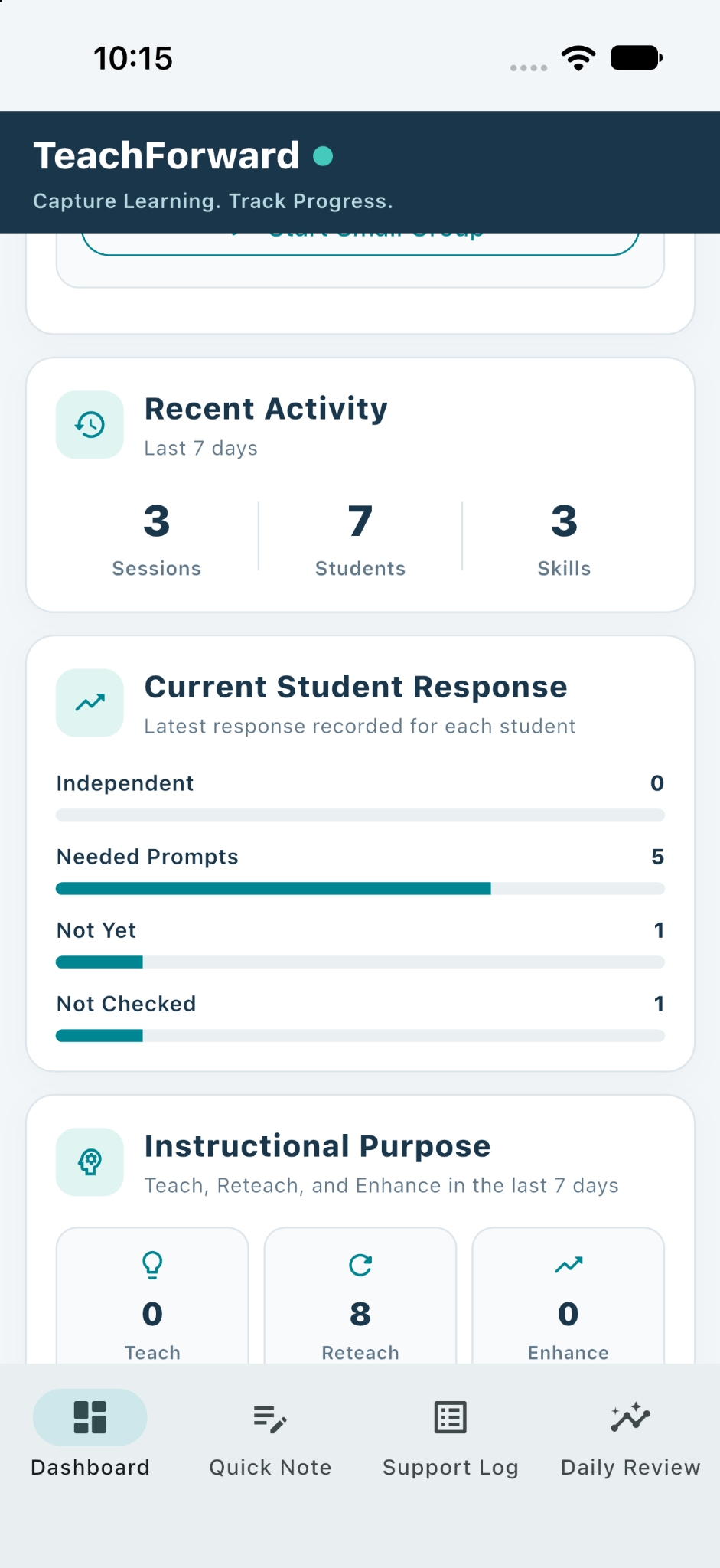
TeachForward Dashboard
Know who needs you

A dashboard built around action, not data overload.

The Dashboard brings together student requests, today’s activity, student success, priority students, and suggested groups so teachers can quickly decide where to focus.
✓See requests, groups, and check-ins at a glance
✓Monitor Need Support, Check-In, On Track, and Extend
✓Create suggested small groups directly from the dashboard
TeachForward Small Group screen
Capture support quickly

Document the teaching interaction while it is still fresh.

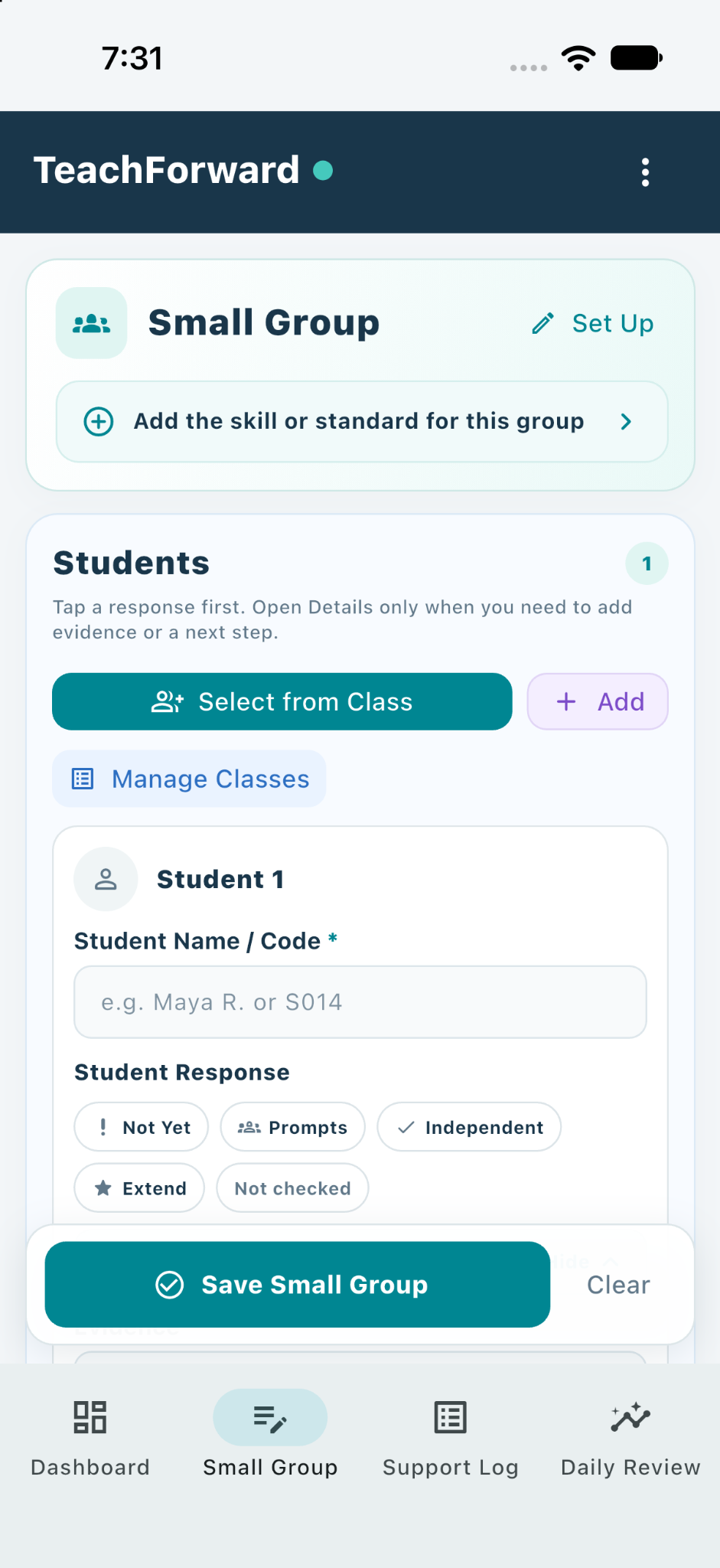
Select students, identify the skill, capture each student’s response, add evidence, and record what happens next — without leaving the small-group workflow.
✓Select students from a saved class
✓Capture Not Yet, Prompts, Independent, Extend, or Not Checked
✓Add evidence and next steps only when needed
TeachForward Support Log screen
Stop relying on memory

Keep every support interaction easy to find.

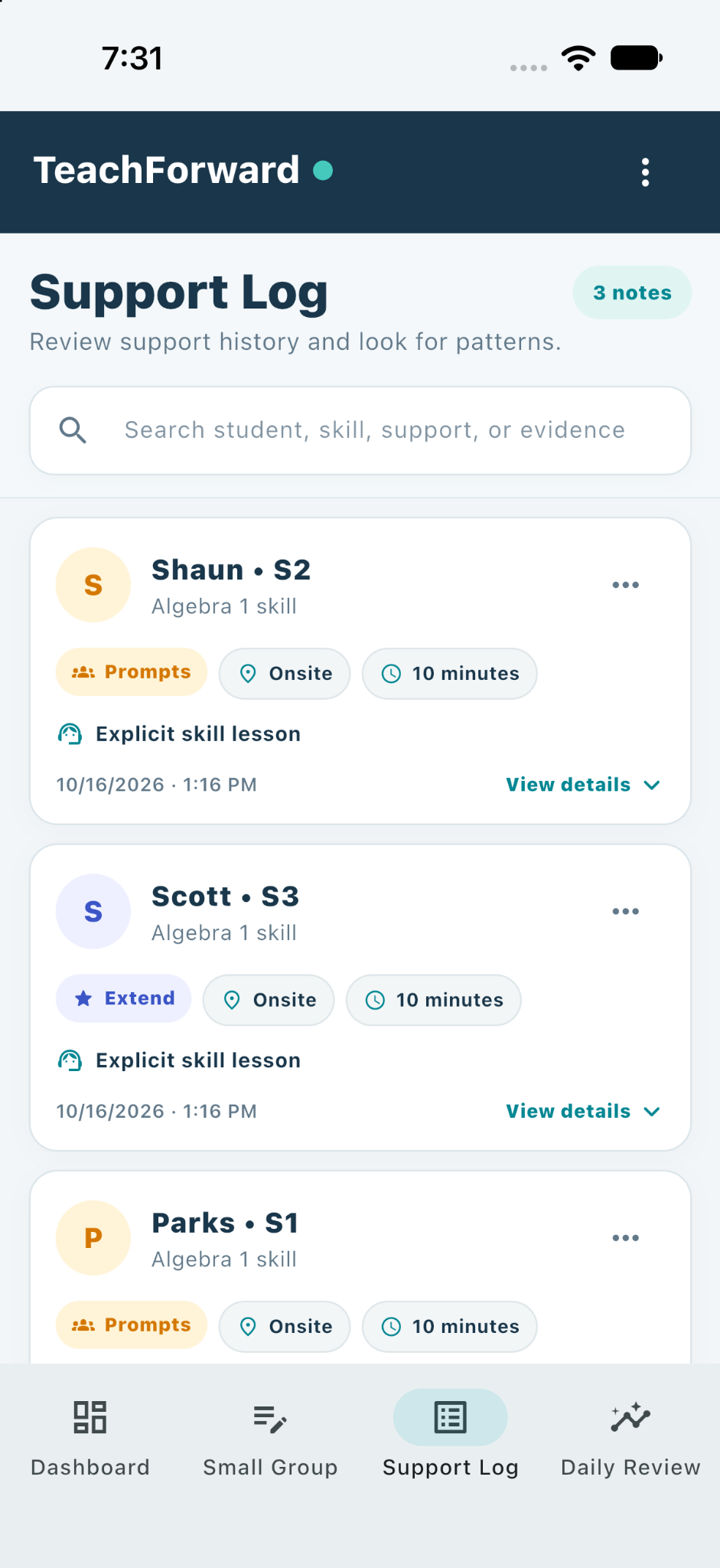
Support Log gives teachers a clean history of student response, skill, setting, support provided, evidence, and next steps.

✓Search by student, skill, support, or evidence
✓Scan compact summaries without opening every note
✓Open details only when deeper context is needed
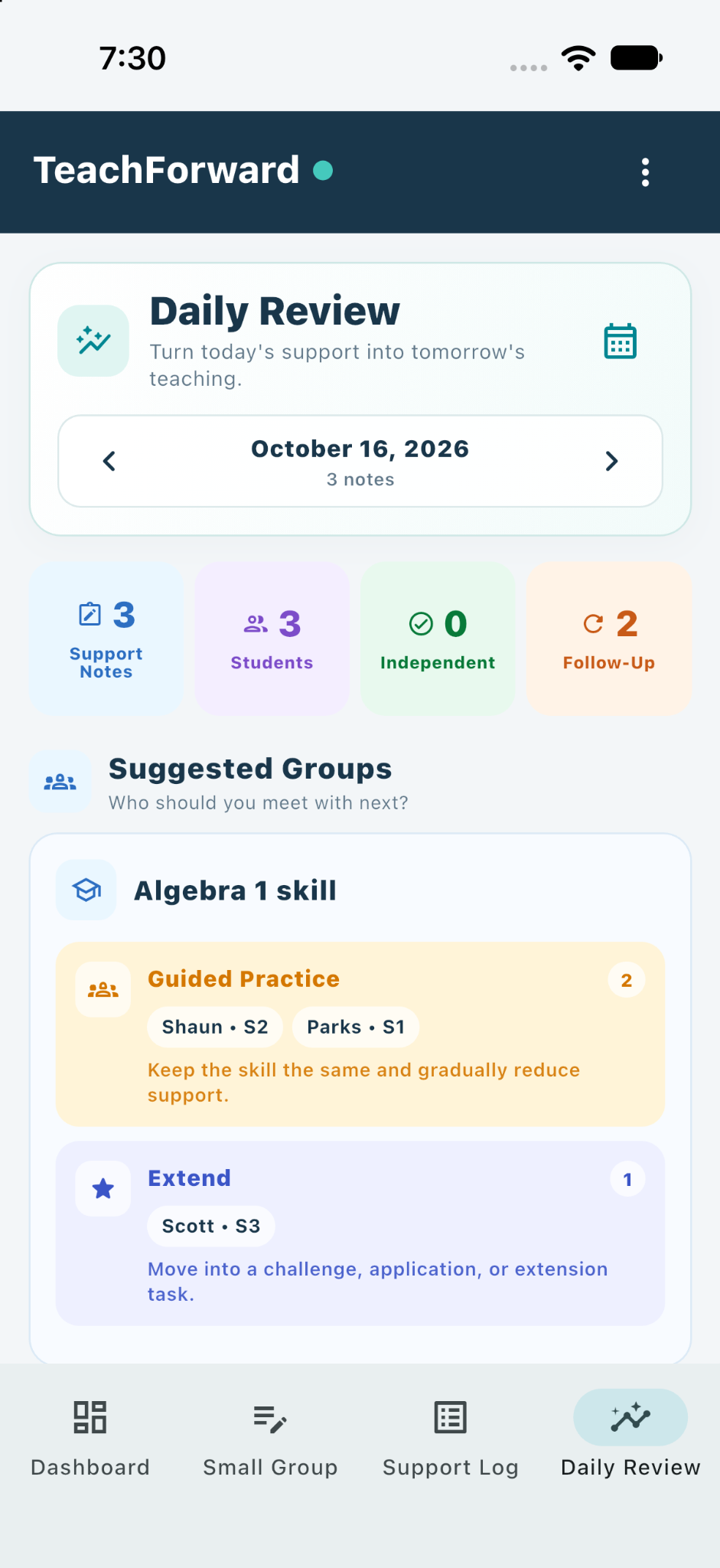
TeachForward Daily Review screen
Plan tomorrow

Turn today’s support into tomorrow’s teaching.

Daily Review organizes student outcomes into suggested groups and patterns, helping teachers see who needs guided practice, reteaching, independence, or extension.

✓See daily support notes and student counts
✓Use suggested groups for the next instructional move
✓Review follow-up needs before the next day begins
Student access

One scan gives students a simple way to ask for help.

Each class can display its own QR code in Canvas, Schoology, Google Classroom, Teams, a presentation, or the physical classroom so students always know where to request support.
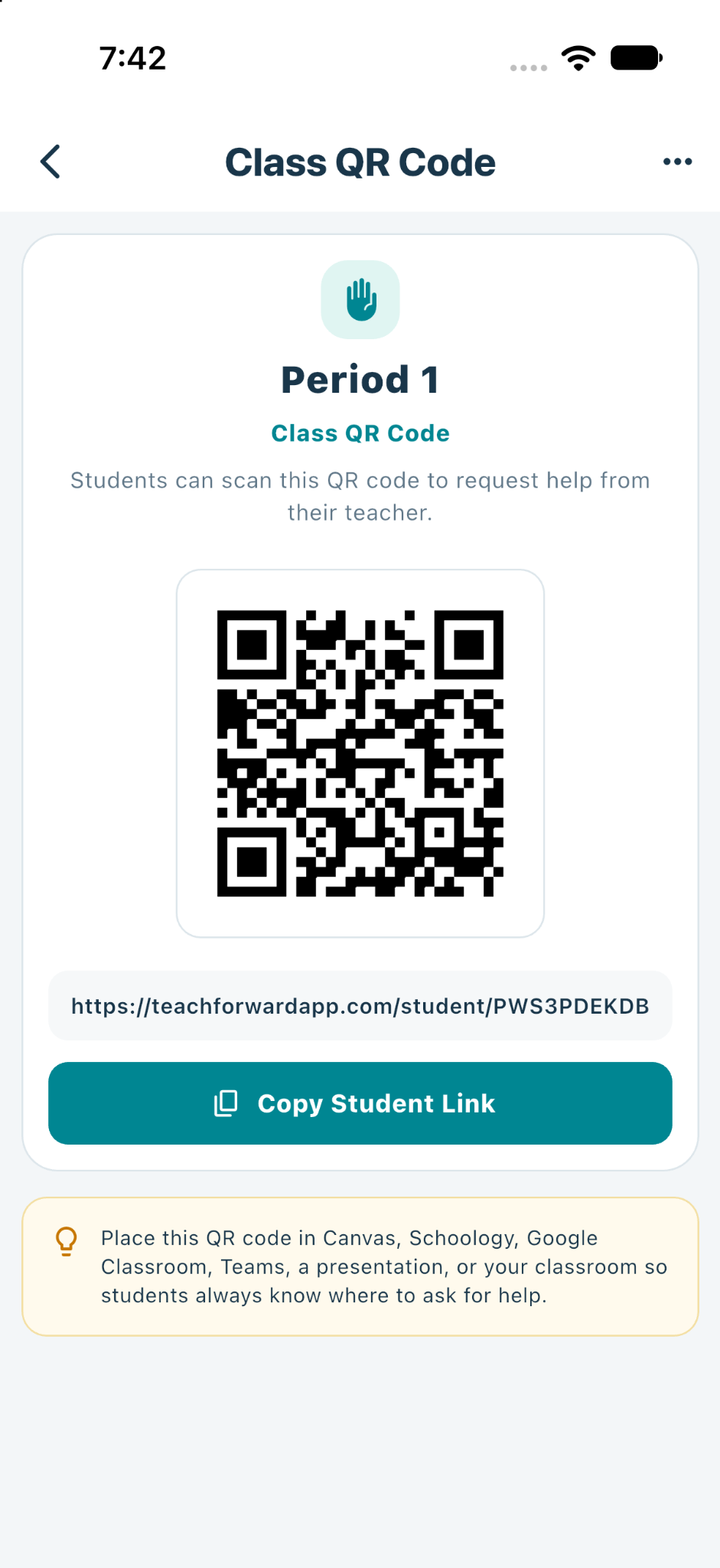
TeachForward Class QR Code screen
Introducing TeachForward Schools

Support for teachers. Visibility for school leaders.

Teachers focus on helping students move forward. TeachForward Schools brings verified school participation, class assignments, and available support activity into one administrator workspace.
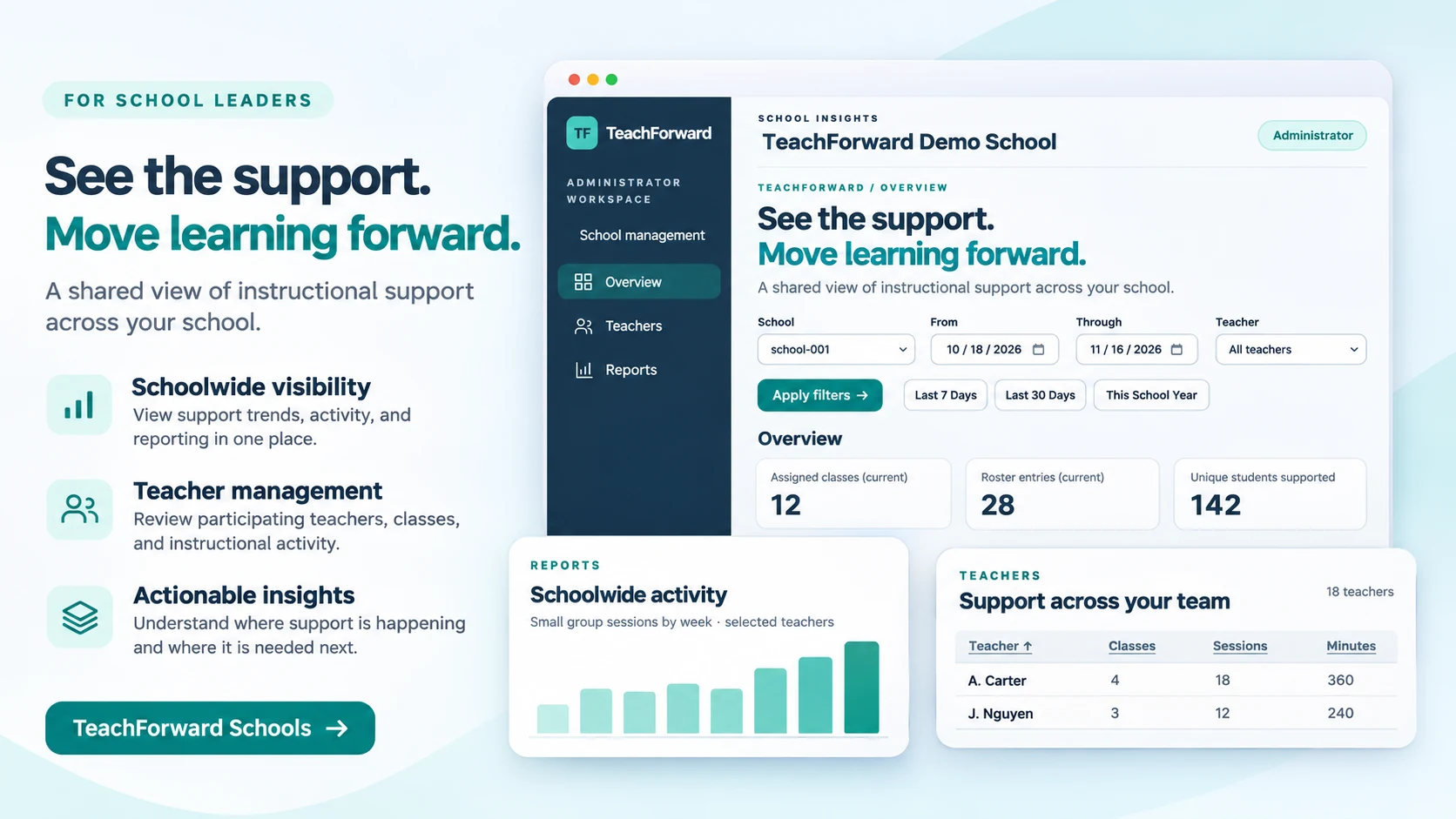
Illustrative TeachForward Schools administrator dashboard showing school filters, overview cards, teacher management, and reporting examples
Illustrative product preview using sample data. Reporting depends on verified school participation and available synchronized information.

Schoolwide visibility

View participating teachers, verified classes, and the school activity data available to your organization.

Teacher management

Coordinate teacher verification and school associations while keeping independent teacher classes private.

Purposeful reporting

Explore date and teacher filters for supported reports, with clear labels when a metric is not yet available.

Free for individual teachers. TeachForward Schools is a separate school offering for verified administrators. School reporting features are being prepared for broader rollout.

Explore TeachForward
Frequently Asked Questions

What teachers usually ask first.

TeachForward is designed to fit into the work teachers already do — without becoming another complicated system to manage.

Is there a version for school administrators?
TeachForward Schools is a separate school offering with an administrator workspace for verified teacher and class associations and supported school reporting. It is being prepared for broader rollout; some activity metrics are not yet synchronized and may be unavailable.
What is TeachForward?
TeachForward is a teacher workflow for targeted support. It helps you see the need, build the group, capture the support, and decide what comes next.
Is it just a note-taking app?
No. The notes are only one part of the workflow. What you capture feeds Student Success, Support History, suggested groups, and Daily Review so you can act on what happened instead of simply storing it.
How is TeachForward different from an LMS?
TeachForward does not replace Canvas, Schoology, Google Classroom, or Teams. It connects the part that often gets lost between assignments and data: who needs help, what support was provided, how the student responded, and what should happen next.
How would I use it during the school day?
Start with a student signal or help request, meet with a Small Group, quickly record student responses, and then use the Dashboard and Daily Review to plan follow-up. The goal is to keep the workflow moving without slowing down instruction.
Do students use TeachForward too?
Students can use a class QR code to request help. The teacher stays in control of grouping, instructional support, documentation, and next steps.
Does it work for virtual, hybrid, and onsite classrooms?
Yes. TeachForward is built around the support process rather than the location. Teachers can use the same workflow whether students are learning onsite, virtually, or in a hybrid setting.
Is TeachForward free?
Yes. TeachForward is free to download from the App Store for iPhone and iPad.
How do I try TeachForward?
Download TeachForward free from the App Store. Then start simple: create a class, add 2–3 students, and record your first Small Group.
Already using an LMS or data platform? Great — TeachForward is not trying to replace it. TeachForward focuses on the teacher's support workflow: who needs help, what support was provided, and what should happen next.
Download TeachForward

TeachForward is now on the App Store.

Download it free on your iPhone or iPad and start turning student needs into clear next steps.
✓Create a class.
✓Add your students.
✓Start your first Small Group.
Download on the App Store Free • iPhone + iPad
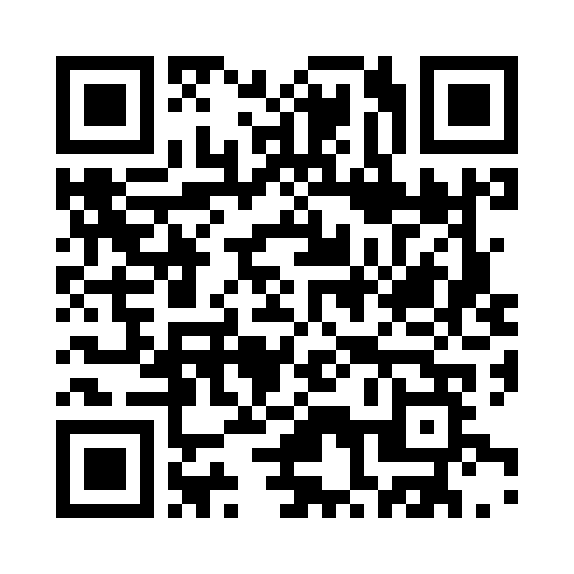
QR code to download TeachForward from the App Store Scan to download Opens TeachForward in the App Store

Less sorting. Less guessing. More focused support.

TeachForward is designed to help teachers spend less time managing information and more time responding to students.

Download TeachForward